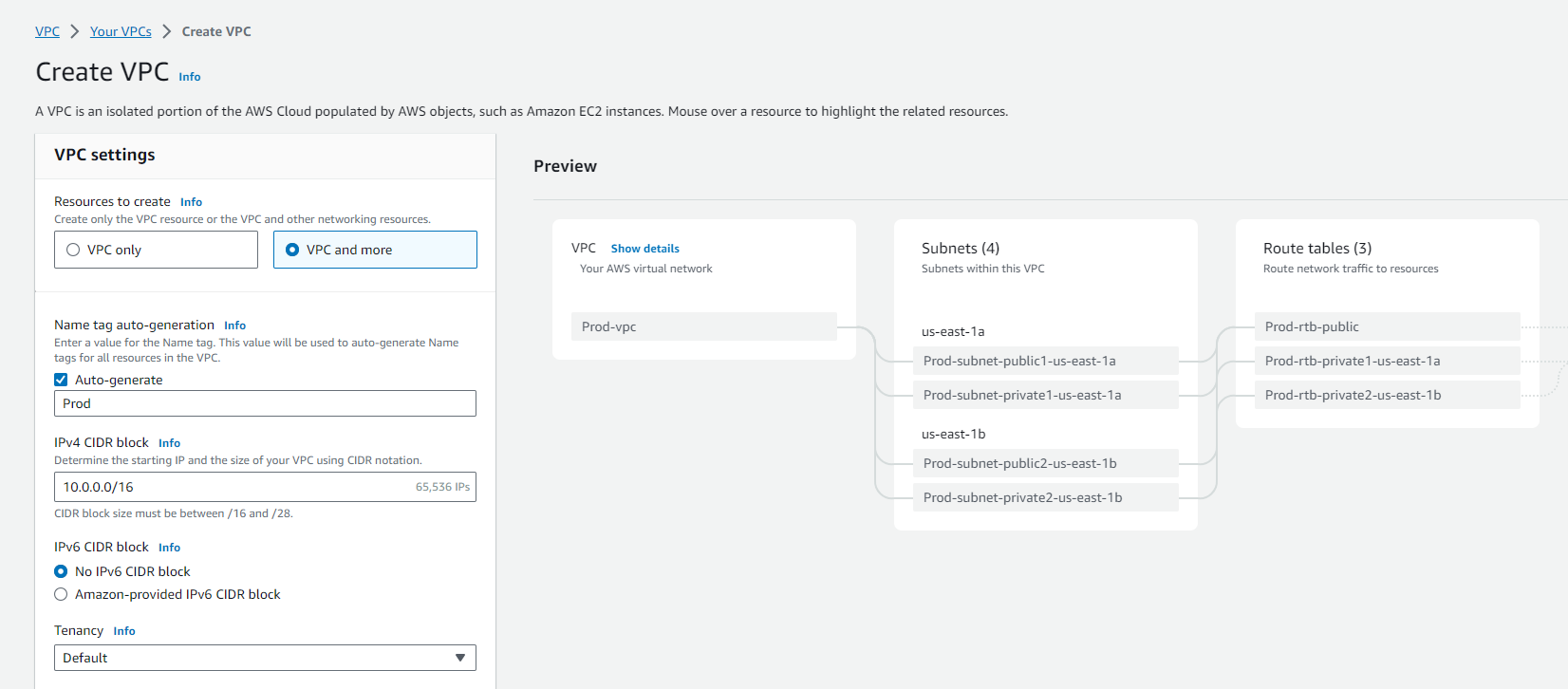
You can either let the system auto-generate Name tags for VPC resources or provide them yourself.
Set up IPv4 CIDR Block:
Enter the IPv4 address range for your VPC, as a VPC requires this.
Optional - Support for IPv6 Traffic:
If needed, select “IPv6 CIDR block”, then choose “Amazon-provided IPv6 CIDR block”.
Choose Tenancy Option:
Decide whether EC2 instances will run on shared hardware (Default tenancy) or dedicated hardware (Dedicated tenancy).
Determine Availability Zones:
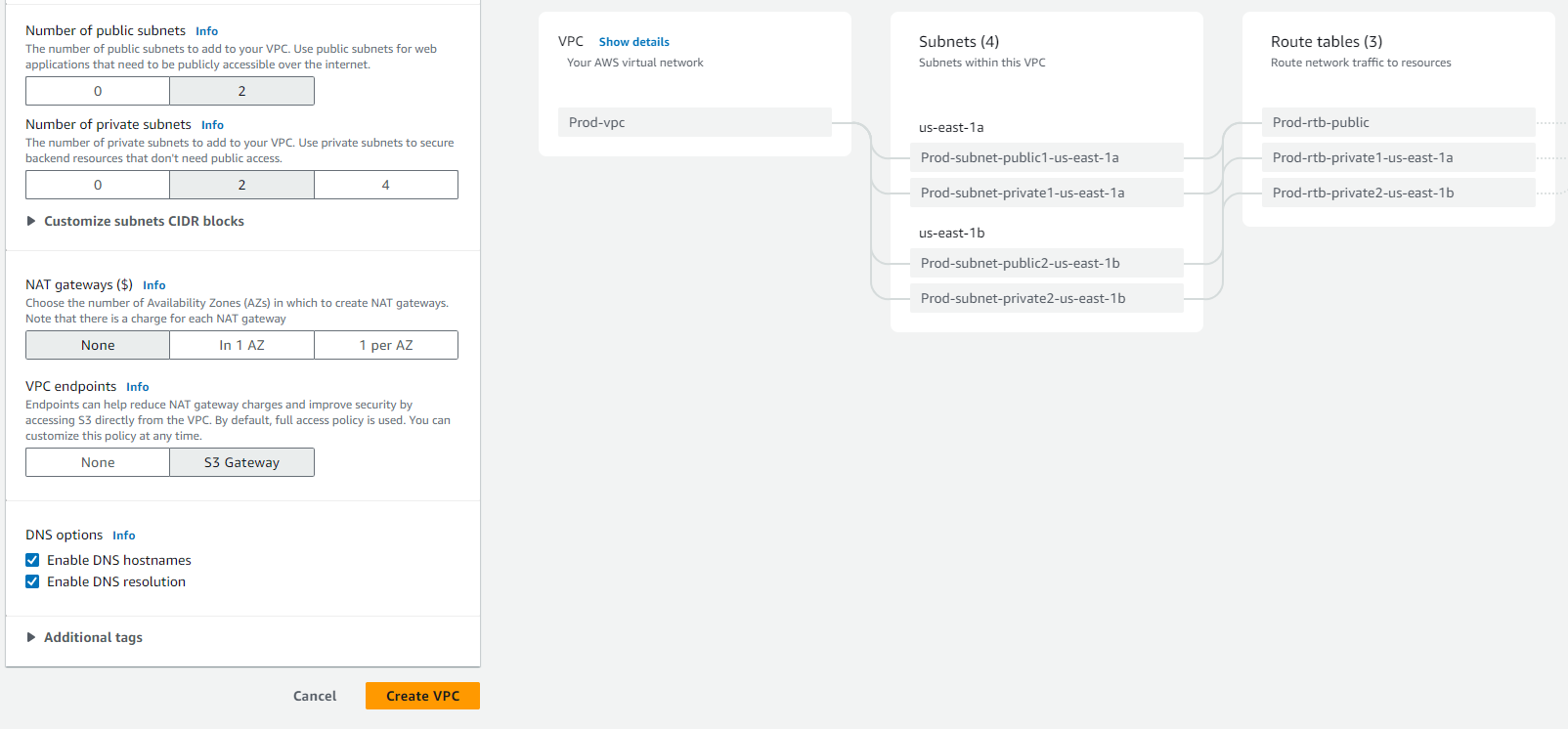
For a production environment, it’s advisable to have subnets in at least two Availability Zones. Customize the AZs if necessary.
Configure Subnets:
Specify the number of public and private subnets. Customize their IP address ranges if needed.
Optional - Set up NAT Gateways:
If private subnets require IPv4 access to the public internet, decide on the number of NAT gateways in each AZ. Note that NAT gateways incur costs.
Optional - Configure Egress-Only Internet Gateway:
To access the IPv6 internet from private subnets, activate “Egress only internet gateway”.
Optional - Set up VPC Endpoints for S3:
For direct access to Amazon S3 from your VPC, select “VPC endpoints, S3 Gateway”.
Optional - DNS Options:
Modify DNS options if the default settings don’t meet your requirements.
Add Additional Tags:
Expand “Additional tags”, select “Add new tag”, and enter the key and value of the tag.
Review Configuration:
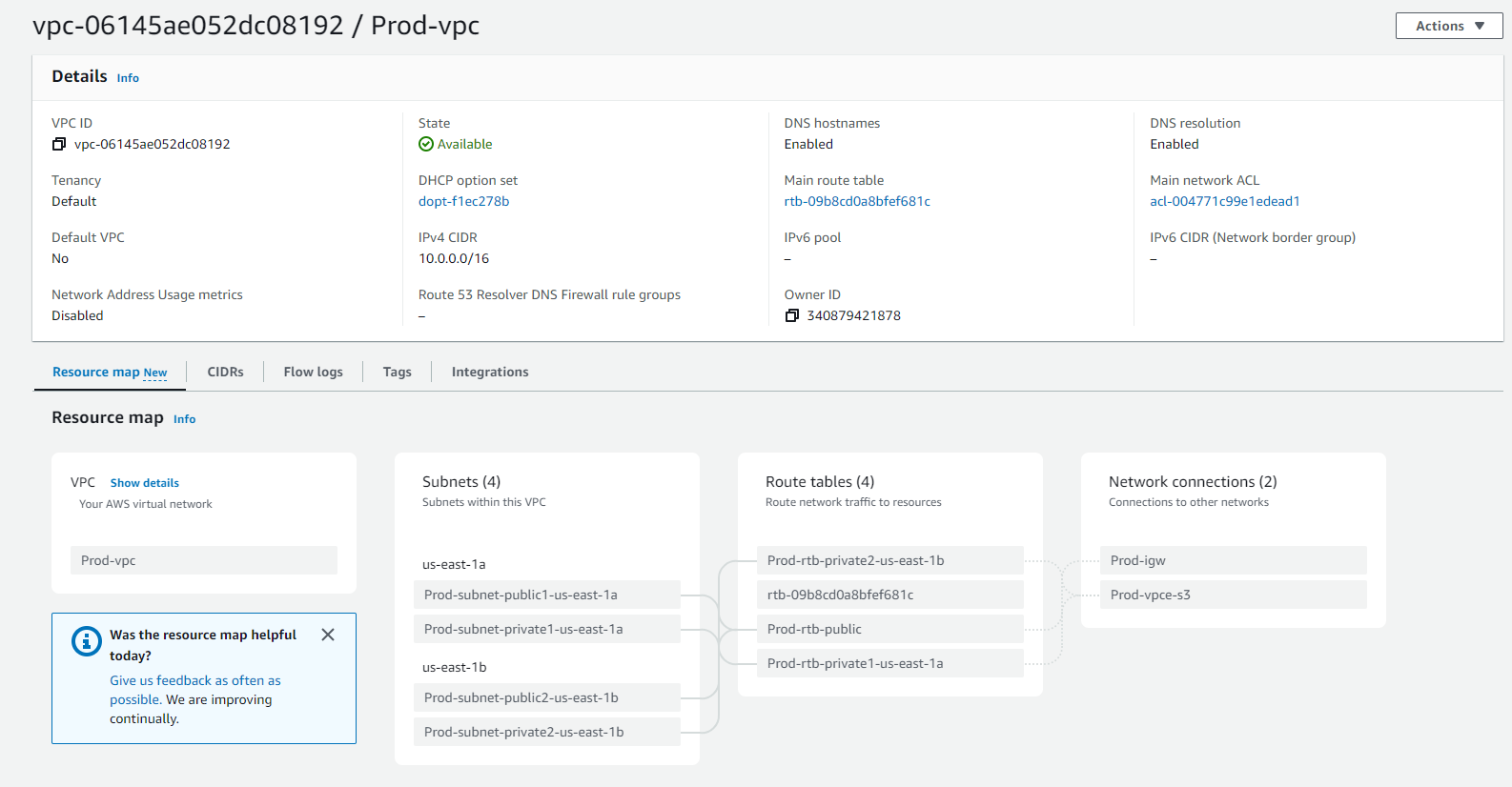
The preview pane helps visualize VPC resources and their interrelationships. Solid lines indicate relationships between resources, while dashed lines represent network traffic paths.
Create VPC:
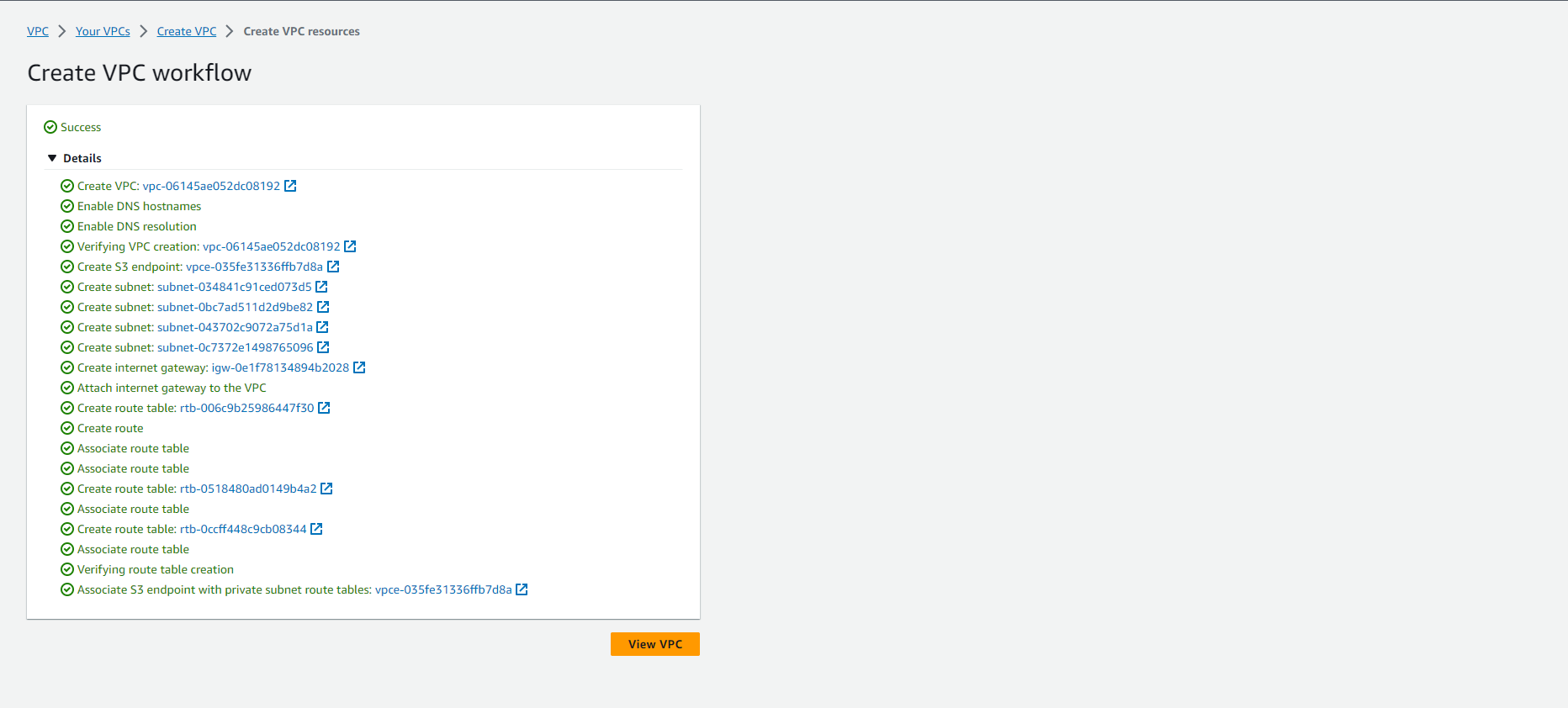
Once satisfied with the configuration, click Create VPC.
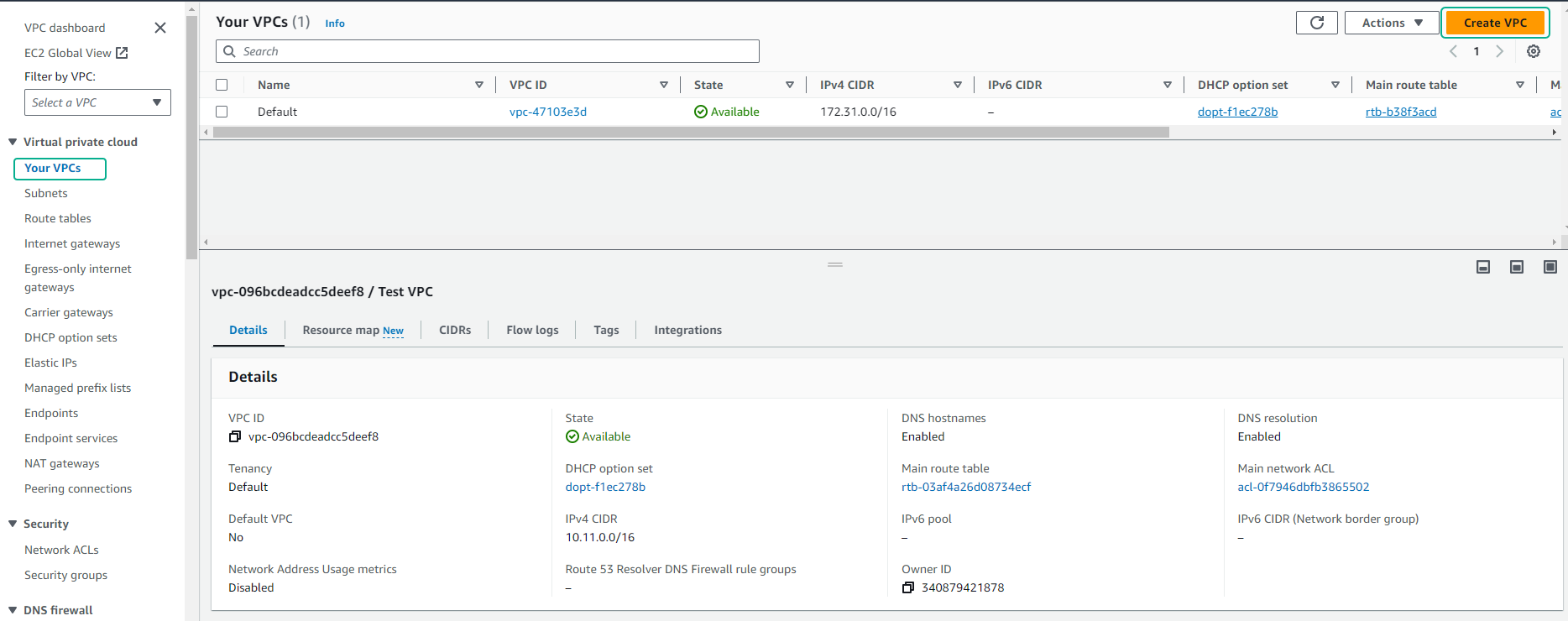
After creating the VPC, review the VPC you have created.